October 23, 2026
How We Patched a Critical PHP Flaw Across Our Clients’ Sites in Under a Day
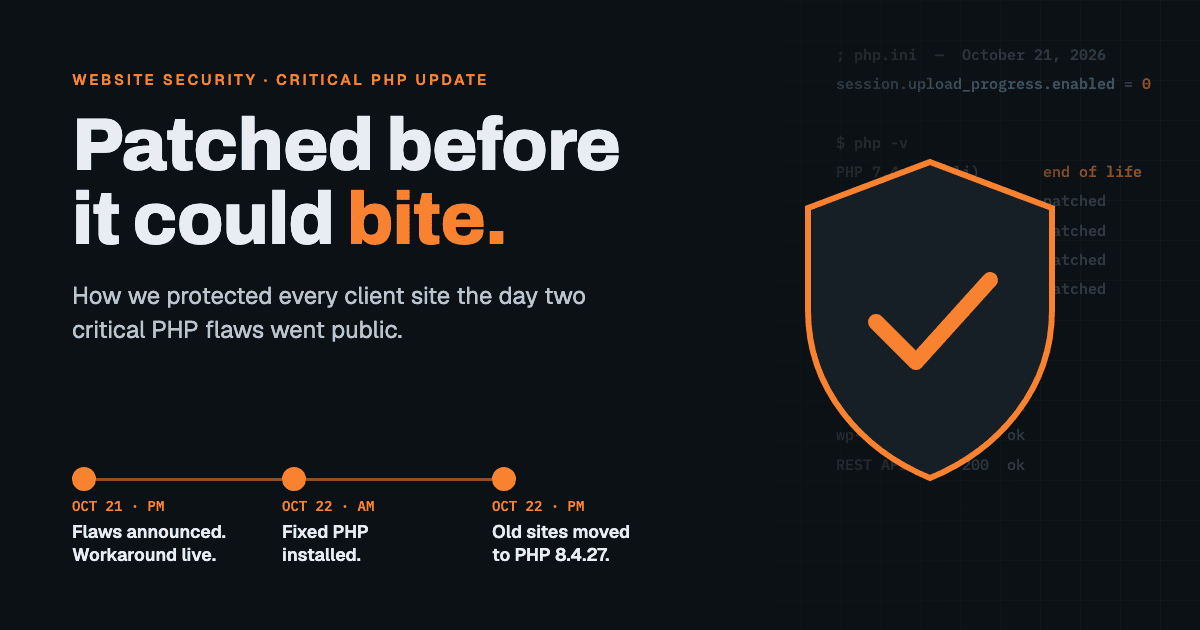
On Tuesday, October 21, 2026, the team behind PHP announced two critical security flaws. PHP is the programming language that runs WordPress, and with it a large share of the web. Both flaws scored 9.2 out of 10 for severity. Both were “remote code execution” bugs, the worst kind: in the wrong conditions, an attacker could make a website’s server run code of their choosing, with no password needed.
If your website runs on WordPress, it runs on PHP. So here’s what we did about it, in plain English, and what you should ask whoever looks after your site.
Hour one: close the door before the lock arrives
The PHP team released fixed versions the same day. But hosting servers don’t update the moment a fix is published. The server software has to be rebuilt and packaged first, and on Tuesday afternoon the updated packages for our servers weren’t available yet.
We didn’t want to wait. The advisory described the feature one of the attacks goes through: a little-used PHP setting that reports file-upload progress. Almost no websites need it, and none of ours did. So that afternoon we turned that feature off on every version of PHP on our servers.
We applied the change one site at a time instead of restarting everything at once, then checked that every site still loaded. Each site paused for about a second. Visitors would never have noticed.
That workaround blocked the main attack path while we waited for the real fix.
The next morning: install the real fix, one version at a time
By Wednesday morning the patched PHP builds were ready, and we installed them:
- PHP 8.2, 8.3, 8.4 and 8.5 moved to the fixed releases (8.2.35, 8.3.36, 8.4.27 and 8.5.12).
- We updated one PHP version at a time and watched the sites on each version as it restarted, instead of updating the whole server at once.
- Once a version was confirmed patched, we removed the temporary workaround from it, so nothing was left disabled for no reason.
The part most people skip: old PHP versions
This is the step that’s easy to miss. PHP 7.4, 8.0 and 8.1 are past end of life. The PHP team no longer fixes them, so there’s no official patch for those versions, now or later.
Plenty of older WordPress sites still run on them because they’ve never been moved off. So we did two things:
- Sites that could move up, moved up. On one of our hosting environments, every live WordPress site moved from PHP 7.4 to the supported PHP 8.4.27 or newer, the same day.
- Sites that can’t move yet keep the workaround, and they’re already scheduled for rebuilds on current PHP.
Testing, because “it loads” isn’t good enough
Changing a site’s PHP version is a little like swapping an engine. Most of the time the car drives the same. Occasionally something rattles.
Before switching any site, we recorded a baseline: the homepage, three inner pages, the login screen, and the behind-the-scenes data feed WordPress uses. After switching, we compared every one of them against the baseline.
That paid off. One site’s homepage looked perfect, but its inner pages broke on the newer PHP. The cause was a one-character typo in its theme, a missing space that older PHP tolerated and newer PHP doesn’t. A homepage-only test would have missed it. We rolled the site back within minutes, fixed the typo, and switched it again cleanly.
Checking for intruders
Patching stops new break-ins, but it can’t undo one that already happened. So we also swept the sites for signs of tampering:
- unexpected admin accounts;
- program code hidden in image upload folders;
- files that didn’t match the official WordPress versions;
- known malware signatures.
We found nothing.
How we work: people plus tools
The judgment calls were Rob’s: what to change, when, and what was safe to touch on a client’s live site. We also used an AI agent as a second pair of hands. It read the advisory, checked each server’s PHP versions, ran the before-and-after tests across dozens of sites, and caught details like that one-character theme bug. Nothing changed on a client’s server without Rob’s approval. The combination let a small studio respond like a much bigger one.
What this means for you
If we host or maintain your website, you don’t need to do anything. Your site was protected the same day the flaw was announced and patched the next morning.
If someone else looks after your site, it’s worth asking them three questions this week:
- Which version of PHP is my site running? If the answer is 7.4, 8.0 or 8.1, it’s no longer getting security fixes.
- Was the October 21 PHP security update installed, and when?
- What gets checked after an update? “The homepage loads” isn’t enough.
If you don’t get clear answers, or you’re not sure who looks after your site at all, we can help. Our website maintenance plans cover exactly this kind of work: updates, security patches, testing, and someone keeping watch. If you think your site has already been hacked, start with our hacked website repair page.