November 24, 2026
One Day, One Website: What a Website Tune-Up Actually Fixes
Most websites don’t break all at once. They wear down slowly. A plugin gets added for a holiday promotion and never comes out. A photo goes up straight off a phone. A location closes, but its address stays on the Locations page. Every change is small, and nobody notices the total.
We recently spent one day on a site like that. It belongs to a nonprofit healthcare client with two locations, built on WordPress several years ago, and it looked fine at a glance. Here’s what we found, what we changed, and the before-and-after numbers.
Step one: look at what Google sees
We started with 90 days of data from Google Search Console and Google Analytics. The site had 24,317 appearances in Google search results over those three months. That sounds healthy.
It wasn’t. 43% of those appearances belonged to two pages the client never made. They were pharmacy spam pages, hidden in the site’s image upload folder after an old break-in. The break-in had been cleaned up a year earlier, but the cleanup checked for harmful code, not for plain web pages. Google had found the spam pages and was showing them in search results under the client’s domain.
We removed them, plus 16 hidden spam links buried in six old posts and one more spam page. Then we asked Google to drop the URLs from its index. A week later all of them were still gone.
If your site has ever been hacked, even if it was “fixed,” it’s worth having someone look again.
Step two: the searches it was winning but not getting clicks from
The real search results had a different problem. The site ranked first or second on Google for searches like “senior care” plus the name of its town, and got zero clicks from them. One local search alone showed the site at position 2 for 353 people, and none of them clicked.
When a site sits at the top and nobody clicks, the listing usually doesn’t look like an answer. Here, every page title was just “Page name – Organization name,” and only 2 of the site’s 25 pages had a description. Google filled the gap with whatever text it could find.
We rewrote the titles and descriptions on the 10 pages that matter most, so each one says what the service is and where. We also fixed a few things a visitor would notice:
- A closed location was still listed, with its address, phone number and hours.
- The phone numbers on three pages didn’t work when tapped on a phone. They were set up as web links instead of phone links.
- The home page had no main heading telling Google (and screen readers) what the organization does.
Step three: tracking that tracked nothing
Over those 90 days, Google Analytics recorded 1,031 visits from search and zero leads. That wasn’t because nobody called. Nothing was set up to count a phone tap or a contact form.
We added tracking for both, tested each one, and marked them as conversions. Now the client can see whether search actually brings in enquiries, not just visits. It also means the new titles can be judged by real results.
Step four: speed
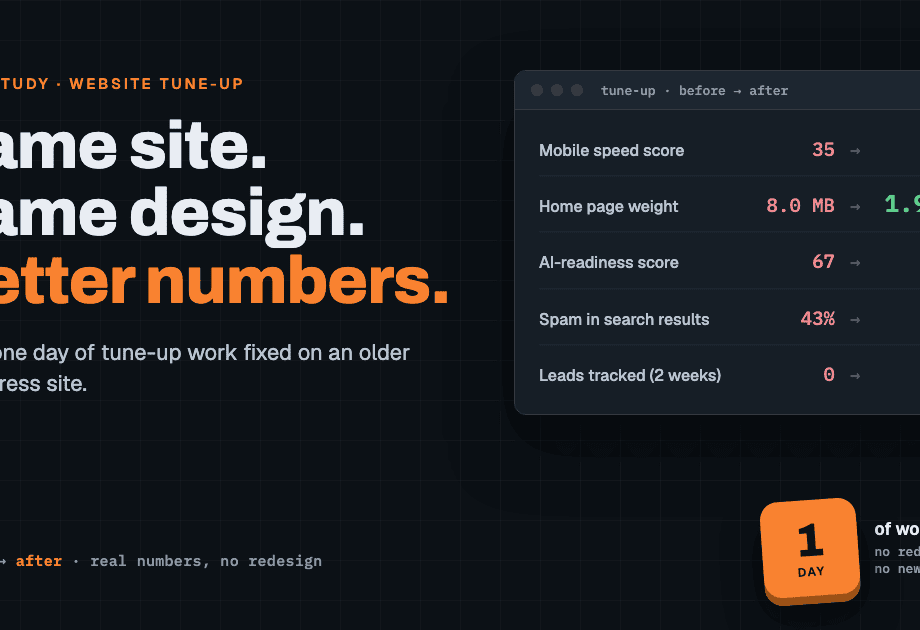
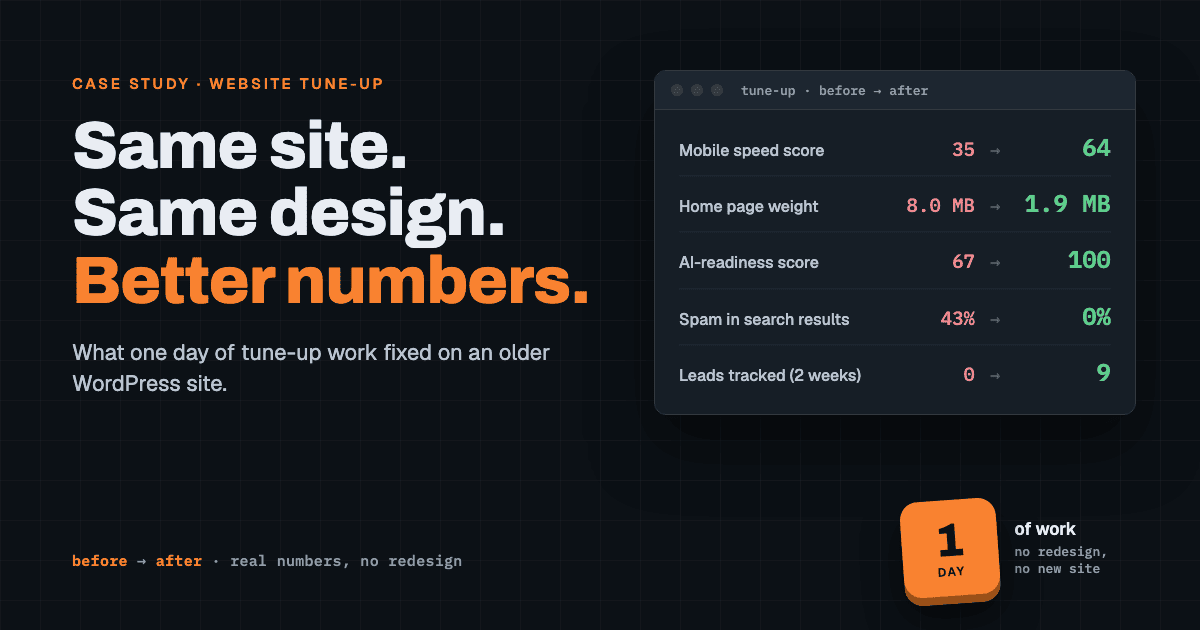
Google’s PageSpeed test scored the home page 35 out of 100 on mobile. The page weighed 8 megabytes and made 178 separate requests. On a phone, the main image took over 30 seconds to appear in Google’s test.
The site didn’t have too many photos. Most of the weight came from things on every page that almost nobody uses on most visits: a Facebook feed, an Instagram feed, a donation button’s payment code and a spam checker for the contact form. All of them loaded on every page, for every visitor, right away.
We changed them to load only when needed. The social feeds load when a visitor scrolls near them, the spam checker loads when someone reaches the form, and the payment code loads when someone opens the donation window. We also stopped the page from jumping around as it loaded and shrank one oversized slideshow photo.
| PageSpeed | Before | After |
|---|---|---|
| Home page, mobile | 35 | 64 |
| Home page weight | 8.0 MB | 1.9 MB |
| Requests on the home page | 178 | 60 |
| Main image on a phone | 32.8 seconds | 10.2 seconds |
| Page jumping while loading | 0.18 | 0 (none) |
| Main inner page, mobile | 66 | 89 |
| Main inner page, desktop | 71 | 95 |
Every form, the spam checker and the donation window were tested afterwards and still work. The home page’s remaining slowness is its large slideshow, and replacing that is a design decision for the client, not a quick fix.
Step five: accessibility (and the new “agentic” score)
Google’s test now includes a score for how well AI assistants and other automated tools can read and use a page. The site scored 67 out of 100. It was held back almost entirely by one thing: parts of the page had no labels that a machine, or a person using a screen reader, could understand.
We fixed what was missing:
- Alt text on 112 images, written by looking at each picture, so the description matches what’s actually in it.
- Clear names for vague links like “Read more” and “More info,” so each one says where it goes.
- Labels on the contact form fields and a name for the mobile menu button.
| Score (mobile) | Before | After |
|---|---|---|
| Agentic browsing | 67 | 100 |
| Accessibility | 85 | 95 |
We left the last five accessibility points to the client: button colors and heading styles are part of the site’s design, and that’s their call.
Step six: telling Google where the locations are
Finally, we added structured data, a behind-the-scenes description Google reads, for each of the two locations: address, phone number, hours and a map link. Google’s own test now reads it without errors. Along the way we found a duplicate Google Maps listing and very few reviews, and passed those on to the client to sort out.
Two weeks later
Search results take months to settle, so two weeks is an early look. We compared the 15 days after the tune-up with the 15 days before it:
- The spam is out of Google. Before, the spam pages were still drawing 906 appearances and 20 clicks under the client’s name. After, none.
- More clicks from people who didn’t search the organization’s name. These are new visitors finding the site by what it does. Clicks from those searches went from 2 to 9, and the share of people who clicked went from 0.16% to 0.87%.
- Their core service line is climbing. For the main search people use to find their core service, the site moved from around 22nd place on Google (the third page) to around 11th, right at the edge of page one. Clicks from that search went from 1 to 6.
- More people clicked the home page listing. The click rate on its search result went from 4.5% to 5.6% after the new title and description.
- The site can finally see its leads: 9 in two weeks (7 contact forms and 2 phone taps, 3 of them from search). The 15 days before showed zero. That wasn’t because nobody got in touch, but because nothing was counting them.
Overall clicks to the site’s real pages held steady at 91 in each period, so this isn’t a traffic surge yet. The change is that the right people are starting to find it, and the client can now see what the site brings in. We’ll check again in a couple of months.
What a tune-up is (and isn’t)
None of this was a redesign. The site looks the same. But in one day it went from being slow, partly hijacked by spam and invisible in its own analytics to being faster, cleaner and measurable.
That’s what we mean by a tune-up: the problems that build up quietly on any site that’s been live for a few years. The specifics will differ on your site. The pattern usually doesn’t.
If your site has been running untouched for a while, a few questions are worth asking:
- Do you know how many leads your website sent you last month? If not, your tracking probably isn’t counting them.
- What does your site score on mobile? Most of your visitors are on a phone.
- Is everything on the site still true? Locations, phone numbers, hours, staff.
If you’re not sure, our website audit starts with exactly this kind of look, and our website maintenance plans keep it from building up again. If you think your site has been hacked, start with our hacked website repair page.